

1
Add an MCP Server
To add an MCP server, you can either create one from scratch or add a public MCP server.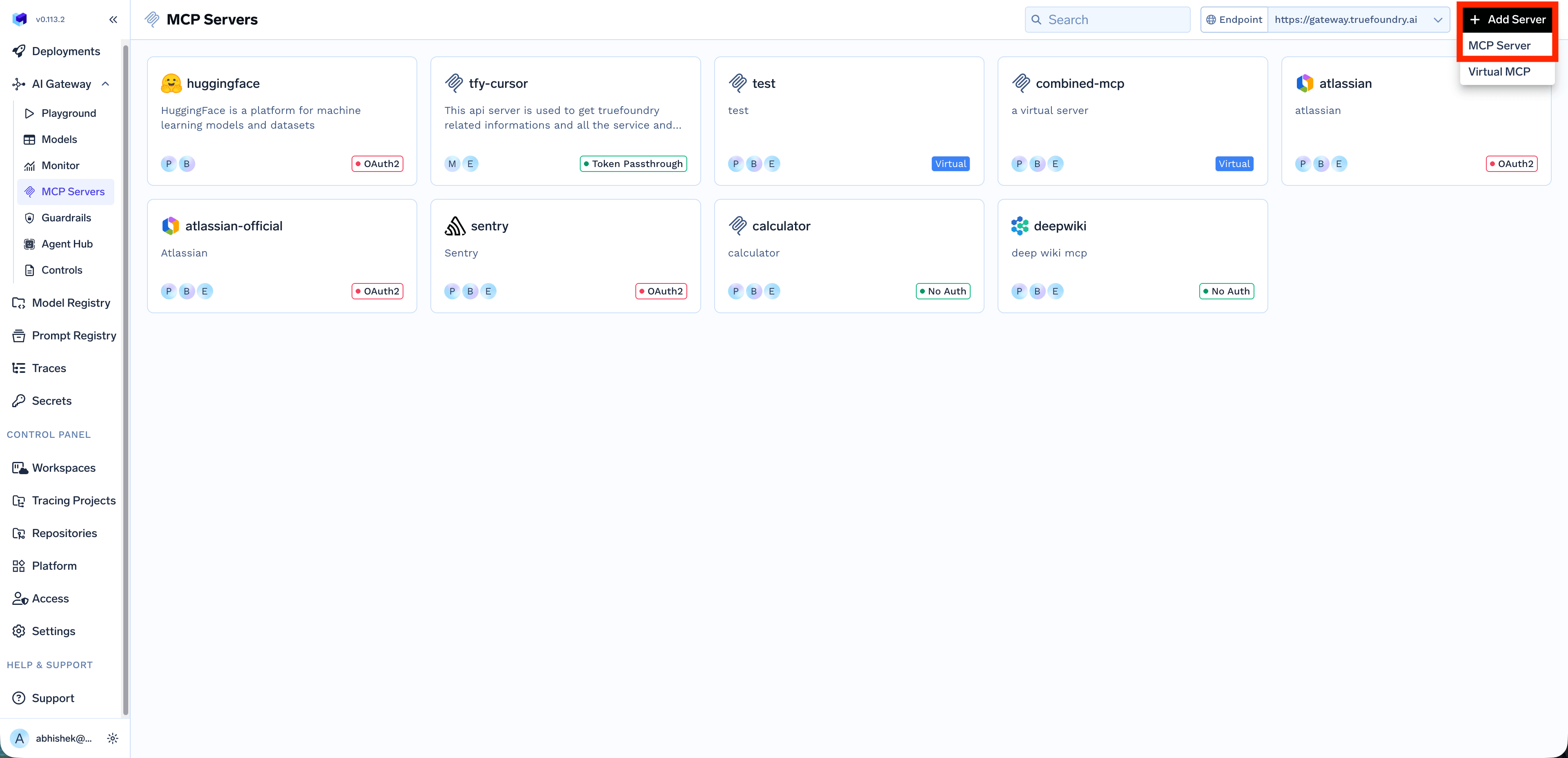
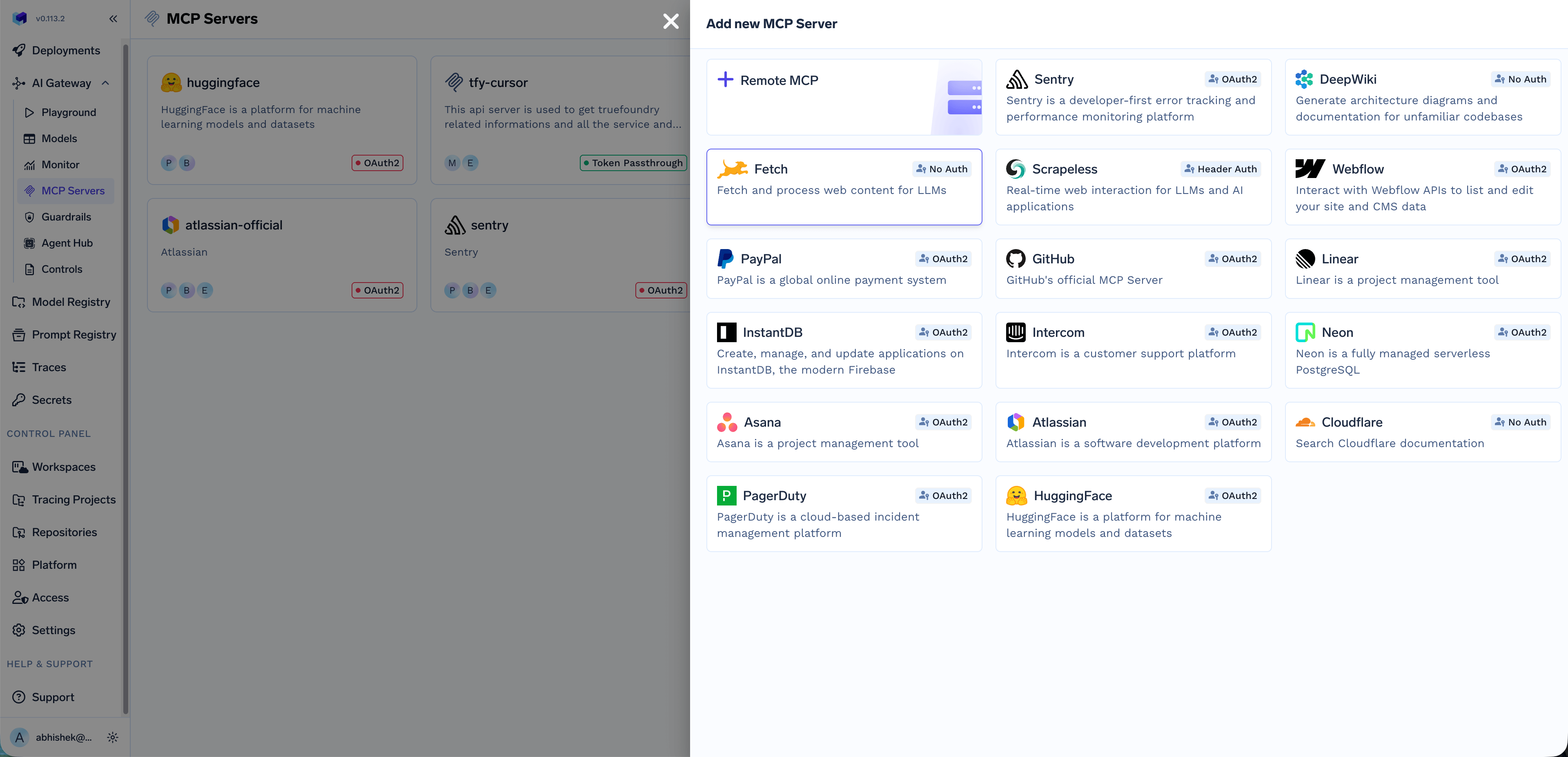
To add a custom Remote MCP server, click on

Click + Add Collaborators to add more users or teams. You can also click View Permission Details to see the complete list of permissions for each role.
Create Calculator MCP Server
Create Calculator MCP Server
Let’s create a simple calculator MCP server that provides basic math operations.Run locally:Your MCP server will be available at
http://localhost:8000/mcp.To add this MCP server to your MCP group, provide the following details:| Field | Value |
|---|---|
| Name | calculator-mcp-server |
| Endpoint URL | https://calculator-mcp-server.apps.live-demo.truefoundry.cloud |
| Description | A simple calculator MCP server |
| Authentication | No Auth |
Remote MCP button and then provide the following details:| Field | Description |
|---|---|
| Name | A descriptive name for the MCP server |
| Description | A description of the MCP server |
| URL | The URL of the MCP server |
| Transport | streamable-http or sse. Note that sse is deprecated |
| Collaborators | Users and Teams that have access to this MCP server with their roles. See Collaborators below |
| Auth Data | The authentication mechanism: No Auth, Header Auth, DCR, or OAuth2. See Authentication and Security for details |
Collaborators
The Collaborators section allows you to control who can access and manage this MCP server. You can add individual users or entire teams and assign them specific roles:| Role | Description |
|---|---|
| MCP Server Manager | Full access to manage the MCP server, including editing configuration, managing collaborators, and deleting the server |
| MCP Server User | Can use the MCP server’s tools in the playground and IDEs, but cannot modify server settings |
2
Use MCP Server in Your IDE
Once you’ve added an MCP server, you can easily integrate it with your favorite IDE or AI coding assistant. Navigate to the MCP server details page and click on the How To Use tab.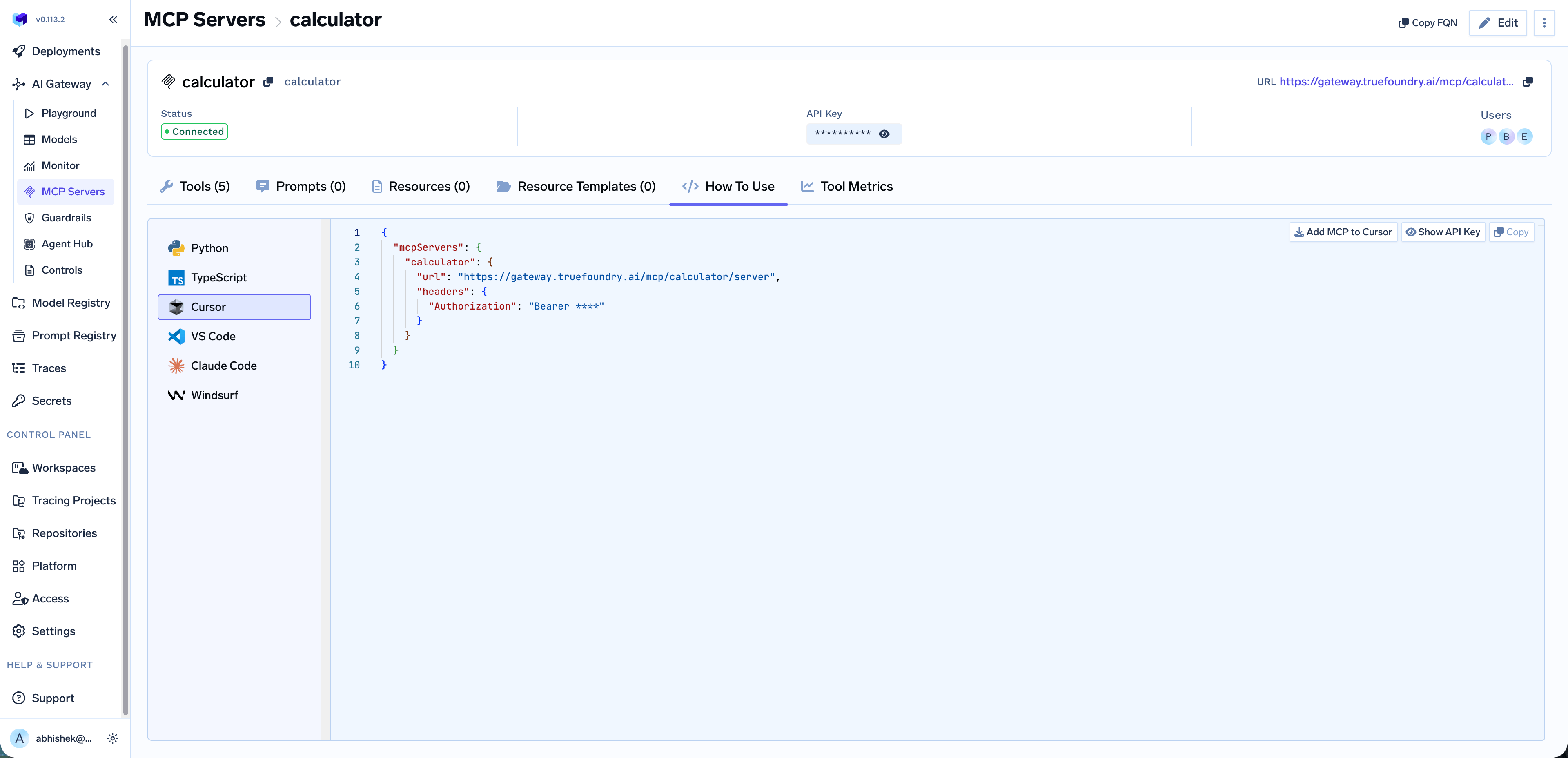
3
Use MCP Servers in Playground
You can select the MCP servers from the playground, select the tools and send your prompt to see which tools are being called.