

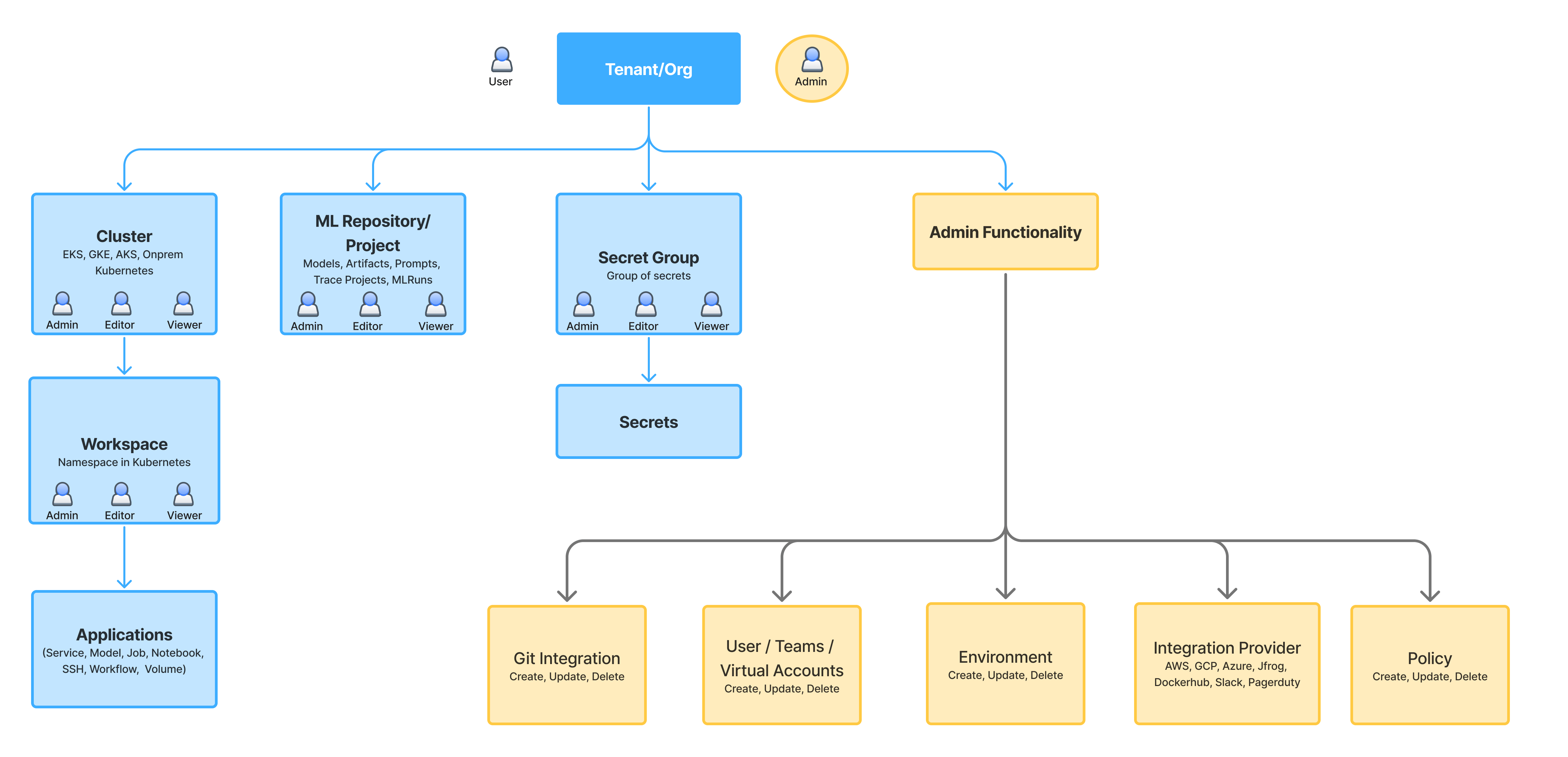
Tenant/Organization level permissions
- Tenant Members
- Tenant Admins
| Resource | Default Permissions |
|---|---|
| Environments | View All Environments |
| Users | View All Users |
| Teams | View All Teams |
| Integrations | View All Integrations |
| Git Integrations | View All Git Integrations |
| Clusters | View All Clusters |
Resource level permissions
- Provider Account
- Cluster
- Workspace
- ML Repository/Project
- Secret Group
AWS, Azure, GCP, JFrog are all provider accounts.
| Permissions | Provider Account Access | Provider Account Manager |
|---|---|---|
| View Provider Account | ||
| Update Provider Account | ||
| Manage Collaborators | ||
| Use All Integrations |
Only Tenant Admins can create/delete a provider account. You can also define overrides for
Access permission for each Integration.Custom Roles
Manage custom roles with fine-grained permissions on different resources at tenant level. These custom roles can then be assigned to Users.
1
Create custom role
Navigate to 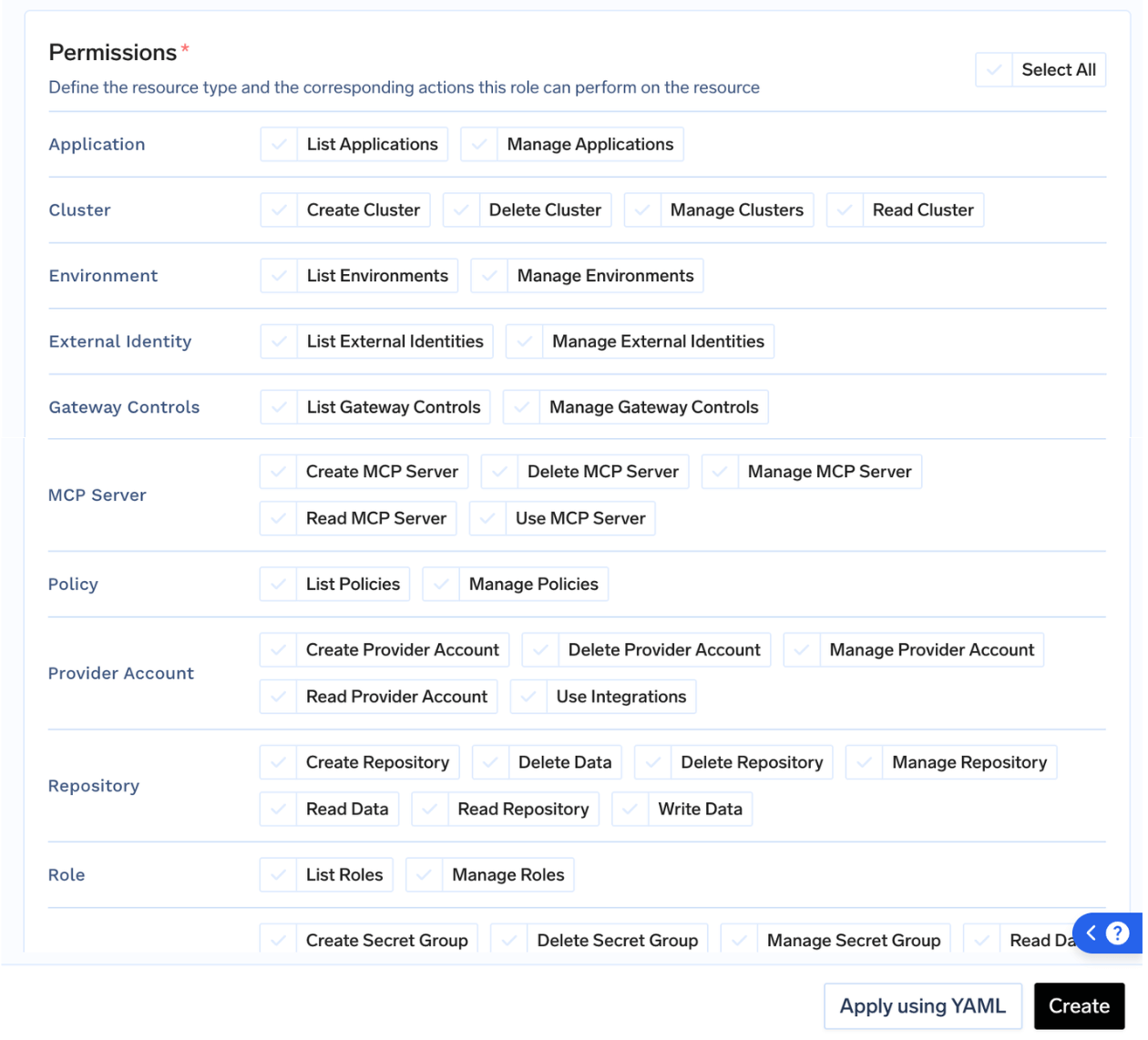
Access > Roles. Click on Create Role and select the
permissions for the role.- Permissions are applied to all the resources in the tenant.
- Provider Account should be used to give permissions for Models, Guardrails, and Integrations.
2
Assign Roles to user
Navigate to 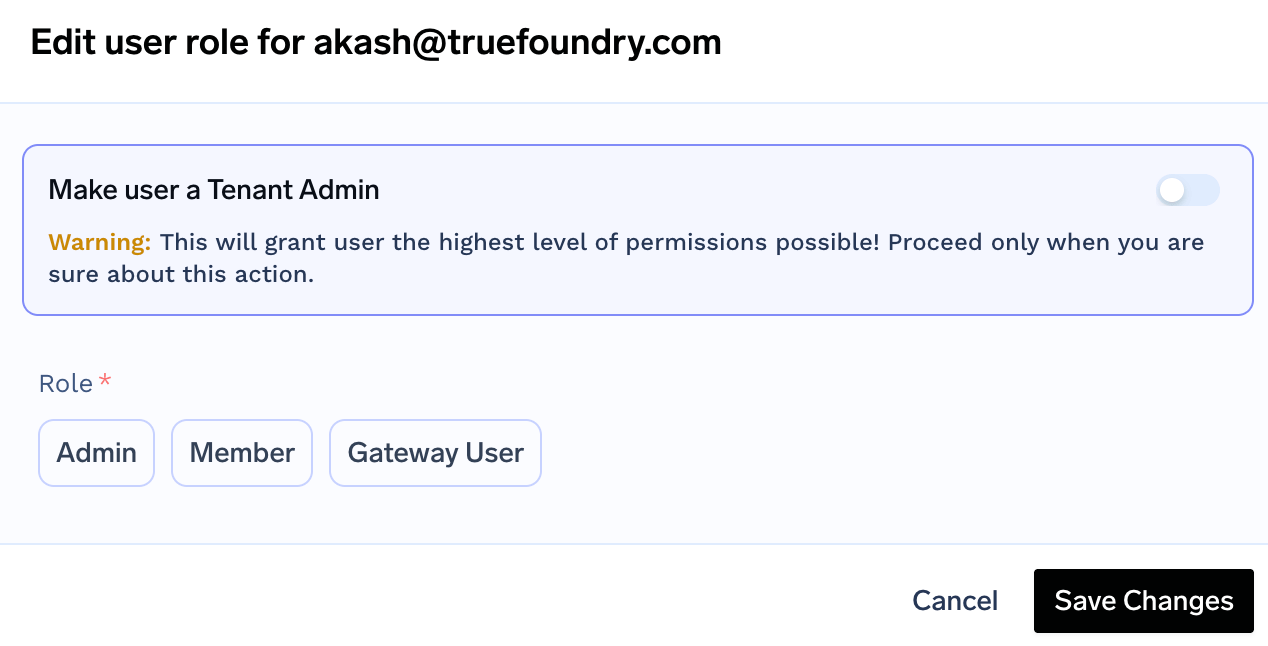
Access > Users. Select the user and click on Edit User. Pick
the role and Save Changes.User can be assigned to only one role at a time.