

This section is applicable only if you are self-hosting the control-plane. In case Truefoundry is hosting the control-plane, all upgrades are managed by Truefoundry automatically.
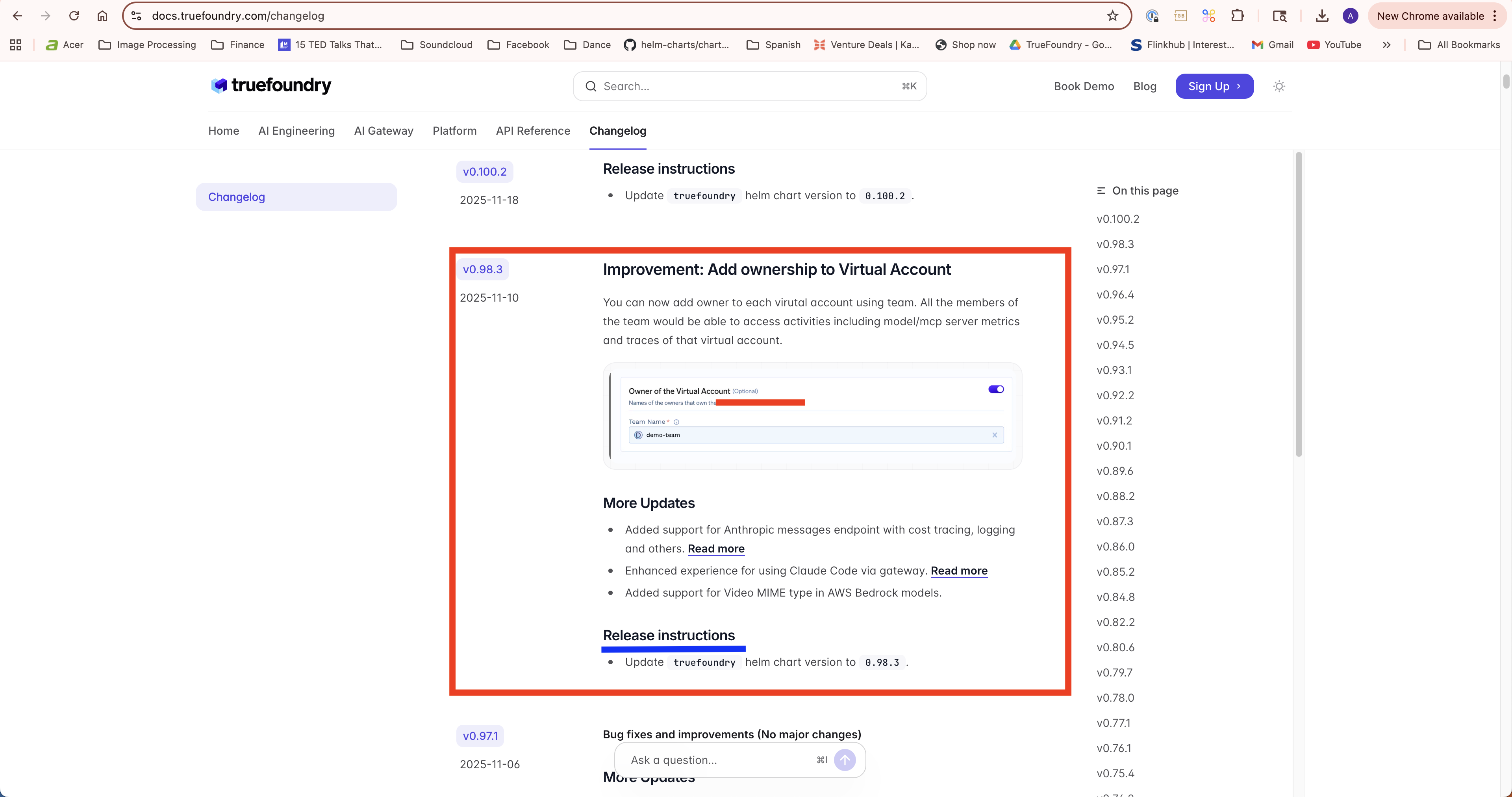
Release Changelog
Truefoundry team can also help you in the upgrade process. We can come on a screen share and be available during the upgrade. We usually recommend upgrading the control-plane atleast once a month to keep it up to date.
Compute Plane Dependencies
The control-plane is compatible with older versions of the compute-plane unless mentioned in the changelog. We do however have a recommended version of the different components of the compute-plane that you should try to maintain since that is the most tested configuration that we maintain. You can track the dependencies here: https://releases.truefoundry.com/control-plane-versions This will highlight the versions of ArgoCD, GPU Operator, and other addons that the control-plane version is tested with.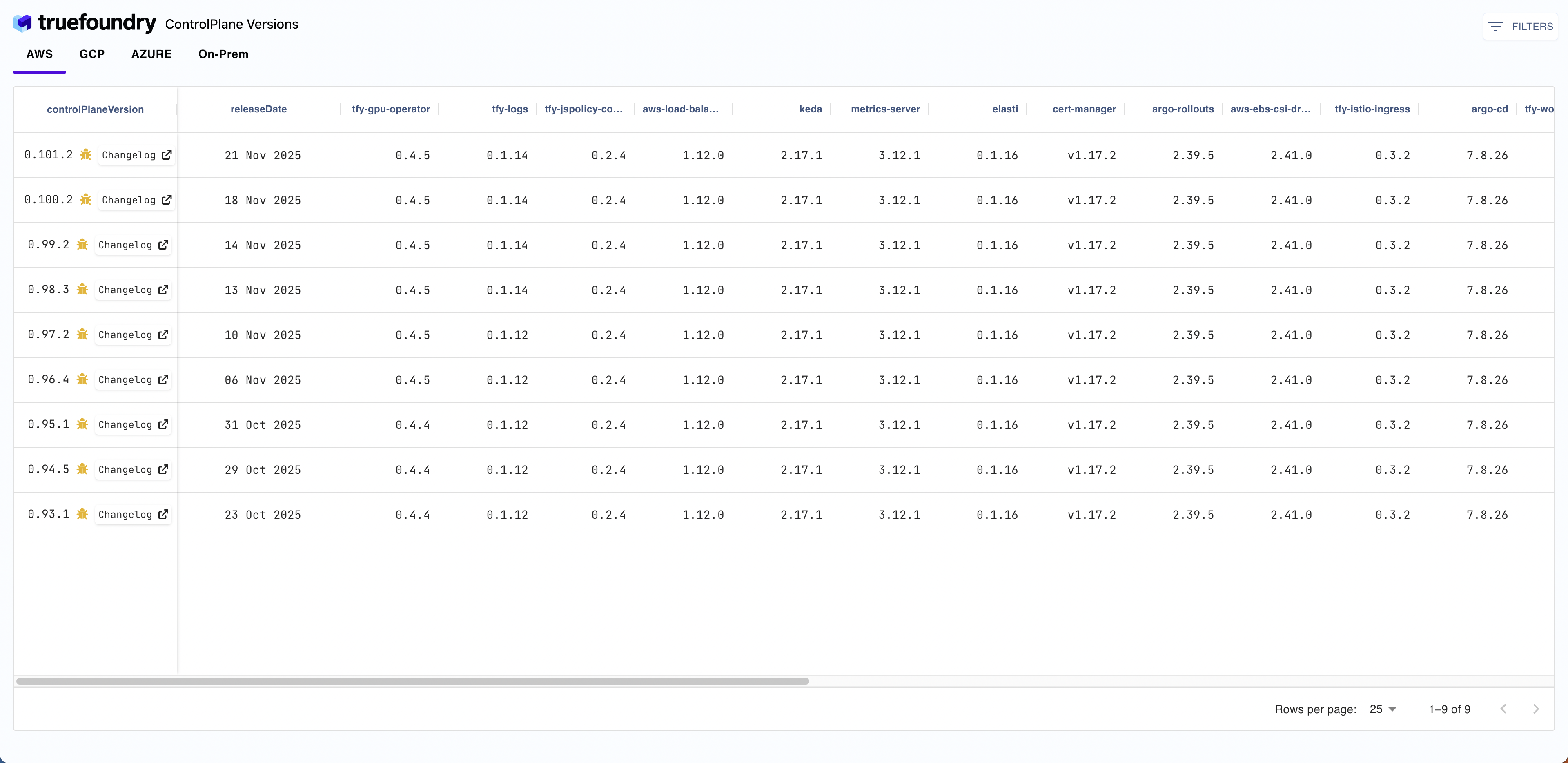
Gateway Plane Dependencies
The control-plane chart has a dependency on the gateway-plane chart. Every control-plane version is compatible with the gateway plane that is part of the control-plane chart. You can find the gateway-plane version in the control-plane Chart.yaml file.Control-plane newer versions are compatible with older versions of the gateway-plane unless mentioned in the changelog. However, newer features in the control-plane might not be available in the older gateway-plane versions.
Migrating to tfy-proxy
Migrating to tfy-proxy
The migration can be done based on what type of routing configuration you have
- Istio: Virtual Service
- ALB Ingress
- Nginx Ingress
Migrating from frontendapp managed virtual service to the new proxy service, has to be done in multiple phases to ensure minimal downtime.The first step is to deploy the proxy service and it’s associated services are running and healthy.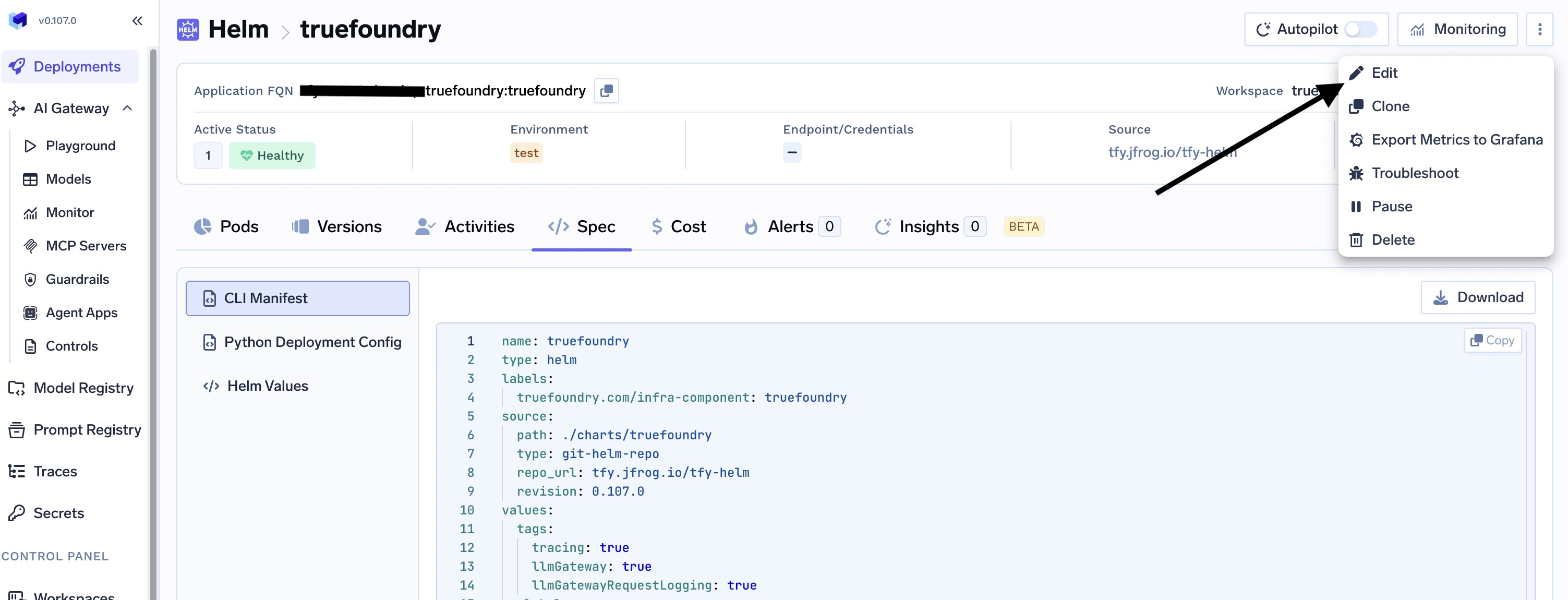
1
Enable tfy-proxy service
Migrating from frontendapp managed virtual service to the new proxy service, has to be done in multiple phases to ensure minimal downtime.
- From the UI navigate to the helm section under deployments and search for
truefoundry. Click on edit and navigate to the values section
- Enable the tfyProxy in the truefoundry chart by adding the following
- Confirm that the service is running, you should see a pods with tfy-proxysuffix running or you can check from the cluster;
2
Enable Global Virtualservice
- Enable the global virtual service which will replace the frontendapp virtualservice by updating the following;
- After the virtualservice has been created, you can now now disable the frontend virtualservice
- Test your endpoint to ensure it is still reachable, after your test are done, you can disable frontendapp altogether by replacing the entire truefoundryFrontendApp section with this;